
Watch the video or follow this step-by-step guide to create a NSW ESS Heat Pump (HEER HP) installation job in Alitsy.
Important: In New South Wales, the nomination form must be signed before any installation works commence.
Step 1: Set Up Scheme & Job Details
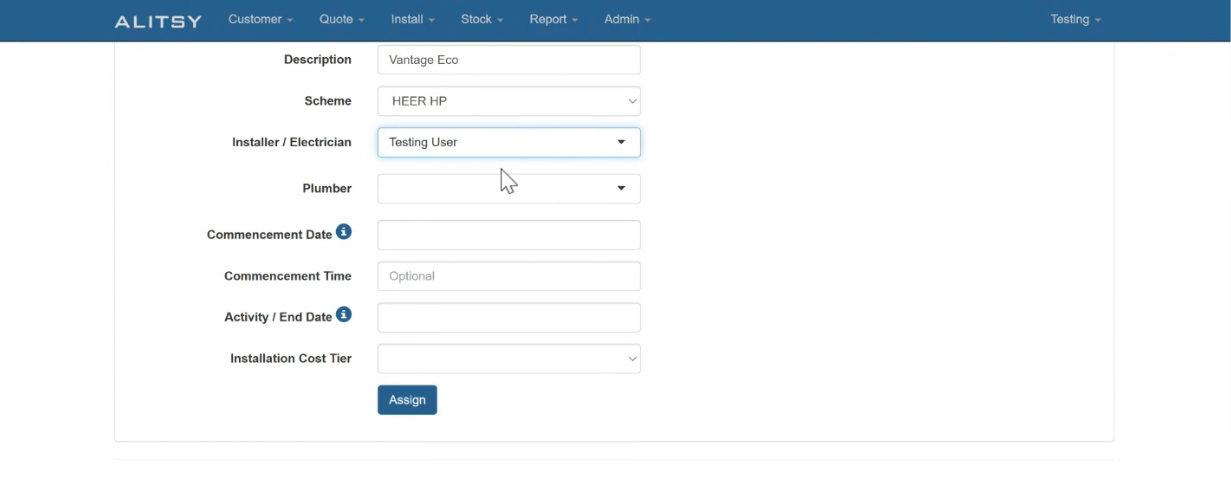
- Create a new installation record and select the relevant New South Wales Activity.
- Assign the Electrician and Plumber to the job.
- Enter the Commencement Date.
- Select the installation cost under the Aggregation section.
Step 2: Add Product & Replacement Details
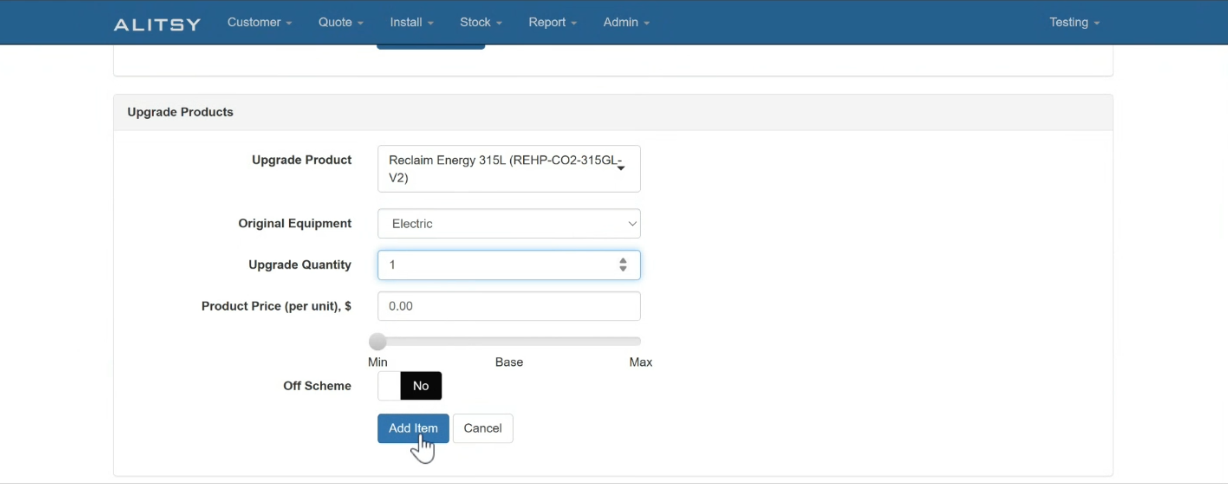
- Navigate to the products section to add the equipment being installed.
- Select the Product model.
- Choose the Type of Replacement (original equipment being replaced).
- Enter the Number of Units to be installed.
Step 3: Complete Nomination Signature & Compliance
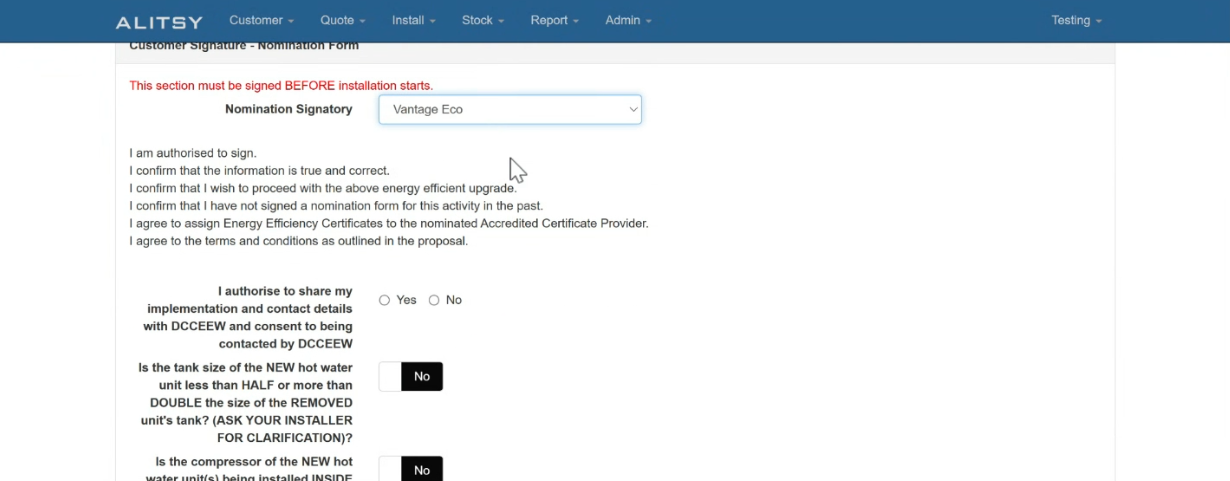
- Go to the Compliance tab.
- Select the Nominated Signatory.
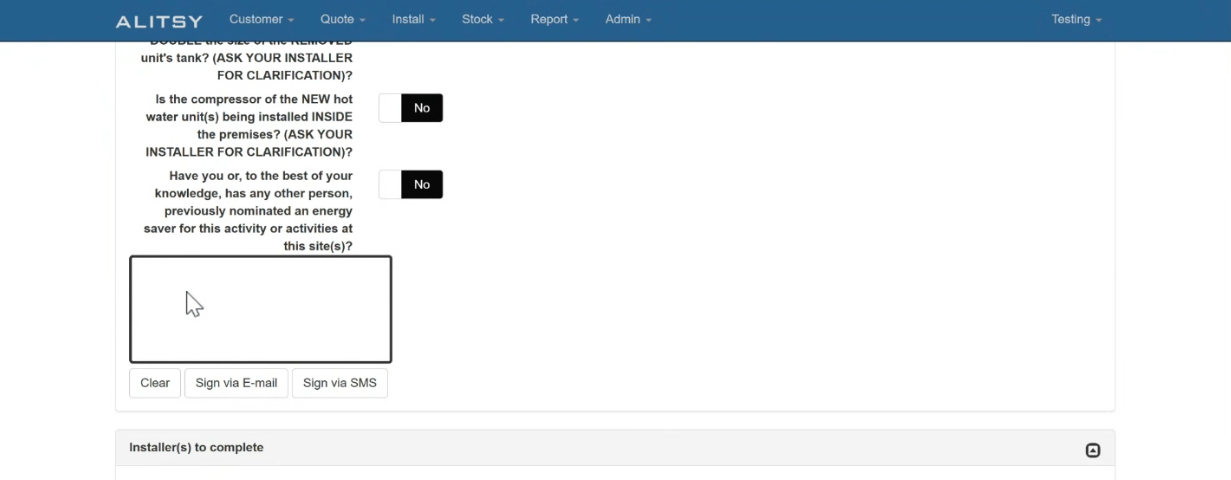
- Have the customer sign the nomination form using one of the available methods:
- Email signature request
- SMS signature link
- Directly on-site using the app
Note: Ensure the signed nomination form is signed prior to starting physical installation on-site to remain compliant with NSW scheme regulations.