
Watch the video or follow this step-by-step guide on how to create a Victorian Energy Upgrades (VEU) heat pump installation job in Alitsy.
Step 1: Start a New Installation Job
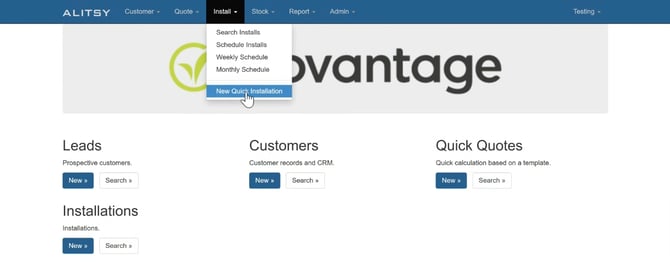
- In the top navigation menu, click the Install dropdown bar.
- Select New Quick Installation.
Step 2: Enter Customer & Address Details
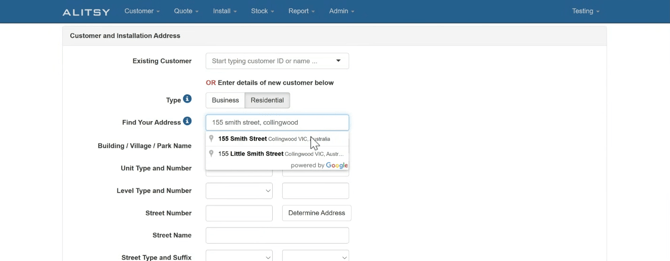
- At the top of the page, select the correct Customer Type.
- Begin typing in the Address field and select the matching address from the search results.
- Select your Sales Source from the dropdown menu.
Step 3: Enter Primary Contact & Scheme Information
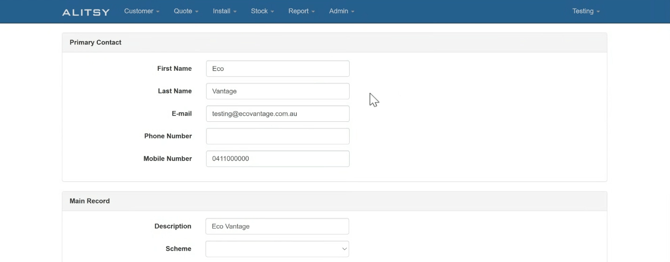
- Under the Primary Contact section, enter the authorised signatory for the installation.
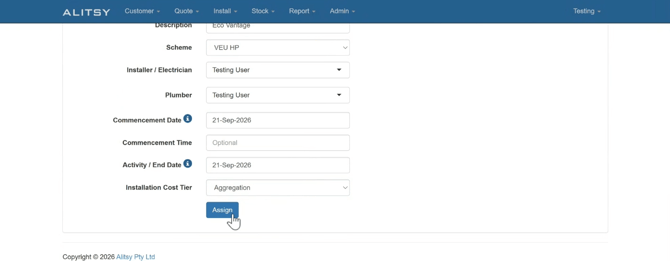
- Scroll to the Main Record section and locate Scheme.
- Select the upgrade type: VEU HP (VEU heat pumps / VEU hot water).
- Assign the following personnel to the job:
- Installer
- Electrician
- Plumber
- Set the installation Date.
- Set the Aggregation option (such as installation cost).
Step 4: Select Product & Original Equipment
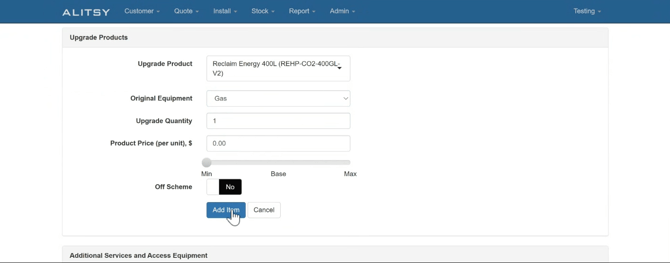
- Once the installation record is created, scroll down to the middle of the page.
- Select the Product being installed.
- Under Original Equipment, select the type of hot water system being replaced.
- Enter the Number of Units being installed.
Step 5: Complete Compliance Questions & Files
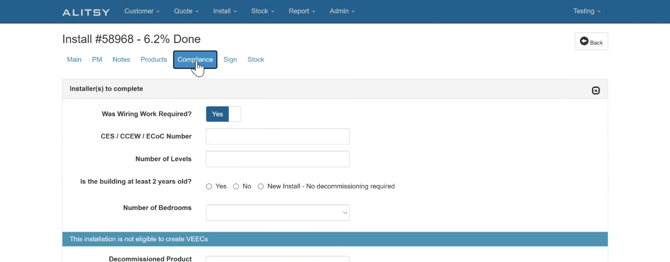
- Navigate to the Compliance tab.
- Answer all required compliance questions for the installation.
- Ensure all mandatory photos and files captured on-site are uploaded.
Note: Ensure all required compliance fields are filled out accurately before submitting the job to Ecovantage for auditing and certificate creation.